
iOS · iMessage · Xcode
How to make an iOS sticker app
Use Apple's no-code Sticker Pack App template, add transparent artwork, test in Messages, and submit through App Store Connect.
Read the iOS sticker app guideTurn your artwork into your own branded sticker app. We build iOS sticker pack apps for iMessage and Android sticker apps for WhatsApp, ready for the App Store and Google Play., or you can follow our free guide if you want to do it yourself.
Why creators use our done-for-you service
Your app
On the stores
In chat
iMessage & WA
Your app
Live on the stores
A real App Store & Google Play listing, not a folder of PNGs
In chat
iMessage & WhatsApp
Fans install your app from the store, then use your stickers where they already text.
Send us your finished artwork, rough drafts, or an idea. We turn it into an iOS sticker pack app and/or Android WhatsApp sticker app, then prepare it for the App Store and Google Play.
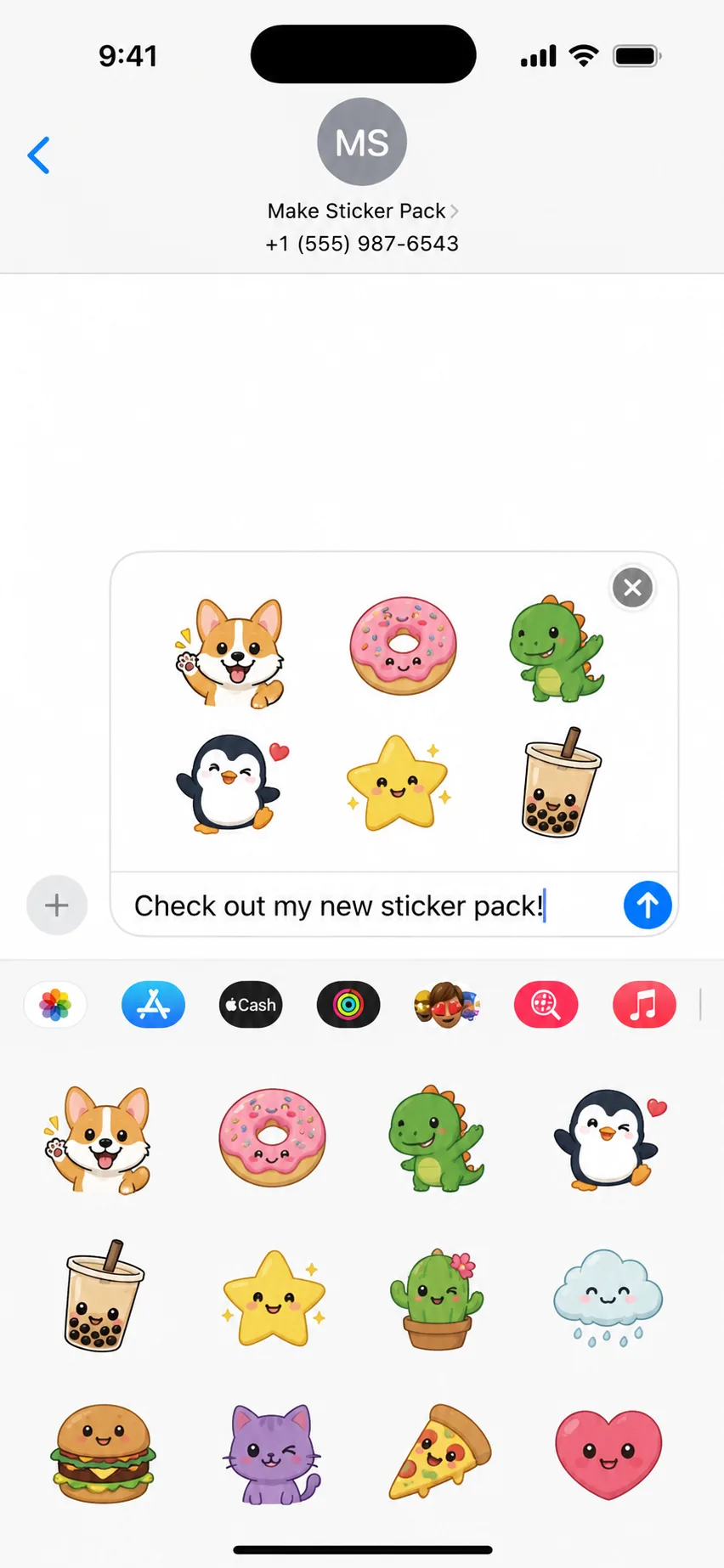
What you get
Your own app listing
A sticker pack app with your name and icon on the store. Fans download your app, not a random third-party pack.
Your stickers inside the app
We format your artwork for iOS and Android so it looks right when someone opens your app in chat.
Published on the stores
We build, sign, and submit your app (or hand you everything to publish yourself). After approval, it works in iMessage and/or WhatsApp.
From your artwork to a live app listing. Most projects are ready to submit in under a week.
Finished files, rough drafts, or a description of what you want in your app.
Your sticker pack app for iOS, Android, or both, formatted, signed, and ready for the stores.
Install the test build on your phone and check stickers in iMessage and/or WhatsApp.
We submit to the App Store and Google Play (or you publish with our files). Fans install your app from the store.
iMessage and WhatsApp use different app formats, asset rules, and publishing tools. Choose a focused guide, or hire us to build either app for you.
iOS · iMessage · Xcode
Use Apple's no-code Sticker Pack App template, add transparent artwork, test in Messages, and submit through App Store Connect.
Read the iOS sticker app guideAndroid · WhatsApp · Android Studio
Configure the official Android sample, add 512×512 sticker files and contents.json, test Add to WhatsApp, and publish on Google Play.
Read the Android sticker app guideEach tier is your own app on the App Store and/or Google Play, not just exported sticker files. Pick a package, add optional extras, then reach out.
Available with Pro Creator. Enterprise already includes priority turnaround and custom sticker counts.
Estimated total
$189
Pro Creator
Need more stickers or full submission on your developer accounts?
Pricing, timelines, store accounts, and what you get with each tier. Can't find your answer? .
Choose the chat platform first. For iMessage, create a Sticker Pack App project in Xcode, add your transparent sticker files, test in Messages, and submit through App Store Connect. For WhatsApp on Android, configure WhatsApp's official Android sample with 512×512 sticker files and contents.json, test Add to WhatsApp, then publish the signed app on Google Play.
On a Mac, open Xcode and choose the iOS Sticker Pack App template. Add PNG or APNG artwork to Stickers.xcstickers, select the matching sticker size, add your app icon, configure signing, test the pack in Messages, then archive and upload it to App Store Connect. A basic pack does not require Swift code.
Open WhatsApp's official sticker sample in Android Studio, replace its sample assets with 512×512 WebP or PNG stickers, update contents.json and app branding, test the Add to WhatsApp flow on a real phone, sign the app, and upload the Android App Bundle to Google Play.
On iOS, Apple provides a dedicated Sticker Pack App template in Xcode. You drag and drop PNG files with no coding required. On Android, there is no sticker template. You must build a full Android application with Kotlin/Java code that integrates with WhatsApp's content provider API. Android is significantly more complex.
For iOS: transparent PNG or APNG files, up to 618×618 px (512×512 recommended), under 500 KB each. For Android/WhatsApp: WebP (recommended) or PNG at exactly 512×512 px, under 100 KB each. All stickers need at least 16 px of transparent padding from the canvas edges.
For Starter and Pro we deliver the app build for you to upload to App Store Connect and Google Play Console. Enterprise includes full submission on your developer accounts. Apple charges $99/year and Google charges $25 one-time if you do not already have accounts.
Starter Pack is $99 for your own sticker app on one platform of your choice — iOS (App Store / iMessage) or Android (Google Play / WhatsApp) — with up to 15 static stickers and a 3 business day turnaround. Pro Creator is $189 for your own apps on the App Store and Google Play (up to 30 stickers, static or animated, 48 hours). Enterprise from $449+ for larger apps and full submission on your accounts. On Starter and Pro you can add an expanded pack (+$50, up to 100 stickers) and priority delivery (+$49).
That's fine. Many clients send rough artwork, sketches, or ideas. Every tier includes resizing and formatting your files for the stores. If you need original artwork created from scratch, contact us and we can quote that separately.
We fix rejections at no additional cost. We've published many sticker apps and know the common rejection reasons. If we cannot get your app approved after revisions, you receive a full refund.
DIY: 2 to 4 weeks if you're learning as you go. Done-for-you: Starter Pack is 3 business days, Pro Creator is 48 hours, Enterprise is 24-hour priority. Optional rush delivery (+$49) moves Starter or Pro to the front of the queue. Apple and Google review times are separate, usually 1 to 7 days after submission.
Yes. To add new stickers, you submit an updated build through the same process. On iOS, add stickers in Xcode and upload a new version. On Android, add files to your assets folder, update contents.json, and upload a new .aab. We handle updates for existing clients at a reduced rate.
Yes, if you're doing it yourself. Xcode only runs on macOS. If you use our done-for-you service, you don't need a Mac at all. We handle the entire iOS build on our end.
iOS supports 100+ stickers in a single pack with no hard limit. WhatsApp allows up to 30 stickers per pack and up to 10 packs in a single Android app. We help structure your stickers to comply with these limits.
No. Our done-for-you service is a one-time flat fee. Developer account fees ($99/year Apple, $25 one-time Google) are separate and paid directly to Apple/Google if you use your own accounts. There are no ongoing fees from us.
Yes. You can set your app as free or paid on both stores. Most sticker apps are free to maximize downloads. If you choose paid, Apple and Google take a 15 to 30% commission on sales.
Still deciding?
Tell us about your stickers and which stores you need. We'll recommend the right tier and timeline.
Free step-by-step guide: sticker sizes, Xcode and Android Studio setup, store listings, and how to publish your own app. No cost, no account required.
Chapters
We can build and publish your own sticker app from $99.